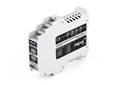
Ipeh-002262-KSM01
Peak System
PCAN-MiniDisplay Case
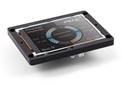
The PCAN-MiniDisplay is used as a human-machine interface for the visualization of CAN data. For the connection to the CAN bus, it has two High-speed CAN connectors. The graphic representation of incoming CAN data is configured before using the unit and then is performed on a TFT display.
The PCAN-MiniDisplay can alternatively be used for data logging. The data traffic is recorded to a memory card and can be replayed or analyzed on a PC later on.
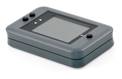
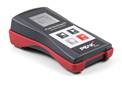
In addition to the built-in PCAN-MiniDisplay, there is a version in plastic casing with push buttons available. This can be used to create and evaluate application-specific configurations. Furthermore, the user can directly switch between different configurations during operation.
Note:
Running a display configuration as well as recording and playback of CAN messages is not possible at the same time. The PCAN-MiniDisplay can only be used with one of the three functions.
Scope of supply;
Scope of supply PCAN-MiniDisplay
PCAN-MiniDisplay with mounting frame
Cables for power supply, CAN, and digital inputs
512 MB memory card installed
Conversion software PEAK-Converter for Windows® 10, 8.1 (32/64-bit)
Configuration examples
Manual in PDF format
Scope of supply PCAN-MiniDisplay Case
PCAN-MiniDisplay in plastic casing including mating connectors
512 MB memory card installed
Conversion software PEAK-Converter for Windows® 10, 8.1 (32/64-bit)
Configuration examples
Manual in PDF format